CNC Image to G-Code
Raster vectorization and Fanuc ISO code
Click to choose or drag an image here
Supports black-and-white drawings, logos and engraving templates
Raster adjustment and edge detection
← Fewer lines (dark only) Value 1 to 254 More detail (including gray) →
Curve smoothing and line filtering
Removes small specks, dots and unwanted noise.
Douglas-Peucker removal of redundant points.
Chaikin smoothing removes jagged pixel edges.
Arcs shorten the code and make the feed motion smoother.
Workpiece dimensions and origin
Depths, feeds and Fanuc templates
Demo: Image to CNC G-code Converter with Macro Variables (Fanuc)
Watch a raster image (logo, sketch or template) being vectorized into clean G-code with Custom Macro B variables. See how easily you can change the scale and position of the engraved pattern directly on the machine.
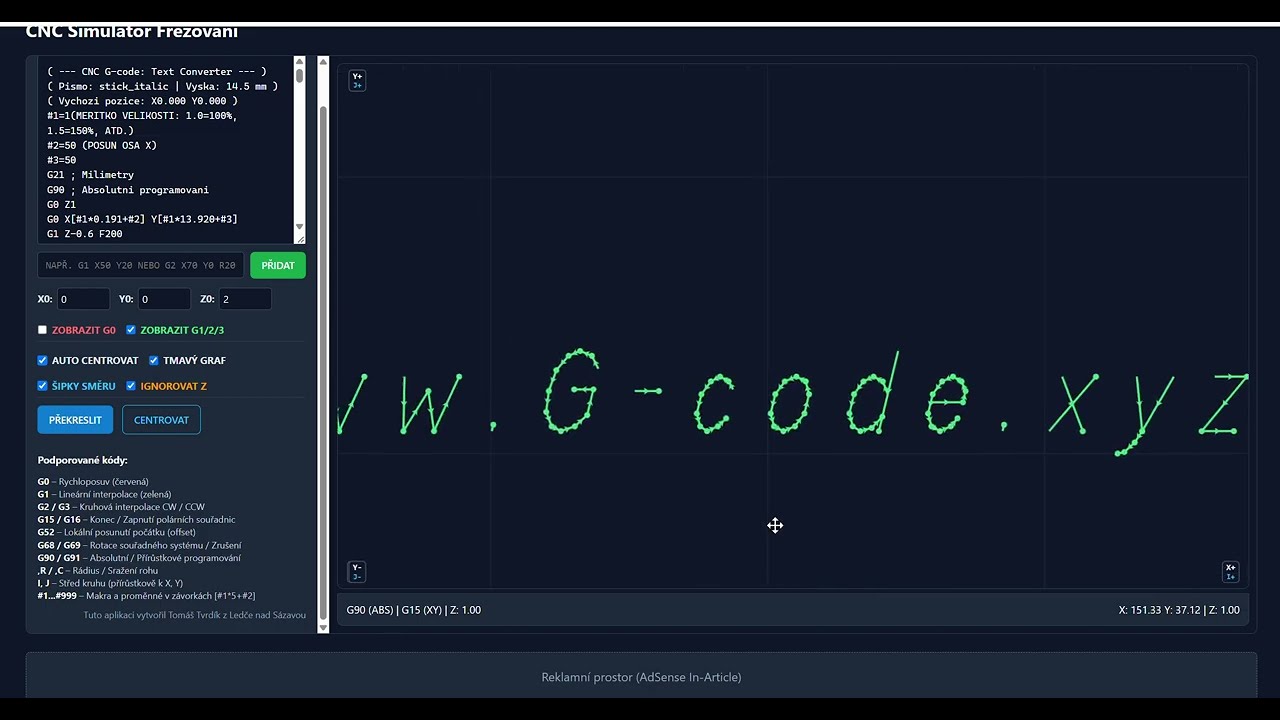
Detailed technical documentation: CNC Image-to-G-code Converter (Raster Vectorization & Fanuc Macros)
This professional converter transforms graphics (company logos, pictograms, technical sketches and artistic engravings) directly into optimized milling and engraving toolpaths for CNC machines with Fanuc. The backend binarizes the raster in real time, using the Marching Squares traces contour curves, removes jagged pixel edges Chaikin smoothing, reduces redundant points using the Ramer-Douglas-Peucker and optionally approximates line segments with smooth circular arcs G02 / G03.
1. Interface controls, filters and processing parameters
Lets you upload any JPG, PNG, BMP or SVG image. On first launch, the system automatically generates a demo gear pattern so you can test the functions right away.
Sets the brightness threshold between material and cut. A lower value captures only the darkest lines; a higher value also converts light and gray tones into engraved contours.
Preprocessing of low-quality images. The Invertovat swaps black and white, which is necessary for correctly engraving white artwork on a dark background.
Automatically filters out isolated specks, dust points and unwanted pixel artifacts shorter than the set limit (e.g. up to 1.5 mm). This prevents unnecessary tool plunges in empty areas.
Mathematical reduction of point density along straight and gently curved sections. It cuts the total number of program lines by up to 80% without visible loss of shape accuracy.
A subdivision algorithm that removes the typical pixel staircase effect from the raster, turning jagged edges into smooth, rounded curves.
In G02/G03 the backend fits a circumscribed circle through groups of three points. If the radius is within tolerance, dozens of small line segments are replaced by a single arc command with radius R, giving the smoothest possible machine motion.
Origin location: Bottom-left corner, Pattern center nebo Top-left corner. The options Mirror X a Mirror Y allow producing injection molds or stamps with reversed text.
2. G codes used in the generated Fanuc program
| Command | Meaning | Function and behavior in the program |
|---|---|---|
| % and O1001 | Program start and number | Standard Fanuc ISO program start, compatible with memory card readers and DNC transfer. |
| G21 | Metric units | Sets the control to millimeter mode. |
| G90 G17 G40 G49 G80 | Safety start-up block | G90: absolutní programování, G17: pracovní rovina XY, G40: zrušení korekce rádiusu frézy, G49: zrušení délkové korekce, G80: zrušení pevných cyklů. |
| G0 / G00 | Rapid traverse (traverses) | Positioning at maximum speed to the safe Z level above the material and traverses between individual engraved contours. |
| G1 / G01 | Linear feed move | Plunges into the material at feed rate Fz and mills linear segments at feed rate Fxy. |
| G2 / G02 | Circular interpolation clockwise (CW) | Smooth clockwise circular arc with the specified radius R. |
| G3 / G03 | Circular interpolation counterclockwise (CCW) | Counterclockwise circular arc. Saves machine memory and produces a smoother surface. |
| M30 | End of program and rewind | Ends the machining cycle and returns the cursor to the start of the program. |
3. Parametric Custom Macro B macros (#) and why they fully replace G52
This generator supports advanced parameterization using Fanuc Custom Macro B variables (#). Instead of hard-coded numeric coordinates, the program contains mathematical expressions in square brackets:
#2 = 30.000 (X-AXIS OFFSET)
#3 = 20.000 (Y-AXIS OFFSET)
...
G1 X[#1*12.450+#2] Y[#1*8.320+#3] F800
G02 X[#1*18.600+#2] Y[#1*14.100+#3] R[#1*4.500] F800
Why is this macro approach much better and safer than the G52 command?
- Danger of the G52 command (local coordinate shift):
- Command
G52 X... Y...shifts the machine's entire global origin. If the operator interrupts the cycle with the RESET, stops the program with the emergency stop or a power failure occurs, on many Fanuc machines the G52 shift remains active and not reset in memory! - When the next tool runs, the turning tool or cutter moves into the material with an unwanted offset, causing an immediate and severe collision with the workpiece or vise.
- On some controls the command
G52 X0 Y0unintentionally overwrites the values in the base G54 table.
- Command
- Advantages of parametric programming with macros:
- 100% machine safety: The G54 work offset in the offset table stays untouched. Any shift is purely a mathematical sum inside the block. Even if RESET is pressed immediately, no hidden offset remains in the control.
- Instant position change on the shop floor: Need to move the pattern 25 mm to the right? No need to open CAD/CAM: the operator simply edits the program header on the machine, changing
#2 = 55.0and the entire pattern is automatically milled at the new position. - Smooth scaling directly from the program header: By changing the variable
#1 = 0.7scales the entire pattern, including all radii, down to 70% of its original size. All arcsR[#1*...]remain exactly tangent and mathematically correct. - Repeated engraving in a loop: The program can be called as a subprogram and, with a simple loop,
WHILE [#2 LE 200] DO 1mill the same logo on 10 parts side by side with an automatic offset.
0.15 to 0.25 mm. This produces a smooth finish without jerky servo-feed movements and significantly reduces total engraving time.