Professional CNC Simulators and G-code Tools
Welcome to the educational and practical portal G-CODE.XYZ. All online tools, simulators, emulators and converters available here are completely free. This site supports CNC programming education as well as the creation, verification and debugging of ISO G-code for milling machines and lathes.
⚙️ Milling
Tools for 2D and 3D milling, toolpath generation and interactive CAD sketches.
Milling (2D)
An interactive 2D milling simulator for checking positions and visualizing simple planar shapes.
Milling (3D)
Advanced 3D visualization and simulation of milling operations with complex spatial toolpaths.
Milling CAD
An interactive CAD sketchpad for drawing, dimensioning and automatically generating Fanuc G-code.
🔄 Turning and Subspindle
Tools for shaft machining, Y/C axes, subspindles and realistic machine operation.
Turning (2D)
Basic simulation of external and internal turning, material removal and tool checking.
XYZC Lathe (3D)
3D lathe visualization with driven tools and a controlled C axis for face and cylindrical milling.
XYZC Lathe (3D Simulation)
Smooth 3D machining and tool-motion simulation for complex lathes.
XYZC Lathe (Machine Operation)
Simulation of real work cycles, tool changes and workshop process constraints.
Subspindle
Advanced subspindle simulation with B-axis, spindle synchronization, part transfer and cutoff operations.
💻 Emulators and Converters
Generate G-code automatically from source drawings, text and images.
Text to G-code
Quickly convert text and lettering into ISO G-code using single-line fonts for CNC engraving.
Image to G-code
Convert raster images, logos and contours into point paths or raster milling toolpaths.
🎮 Educational Games
Fun applications for practicing programming logic and coordinate-system movements.
XY Axis Arena (Milling)
A training game for quick coordinate-system orientation and precise point movement.
XY Snake (Milling)
Classic Snake in the XY plane, designed to practice quick reactions and milling coordinate awareness.
Introducing the G-CODE.XYZ Platform
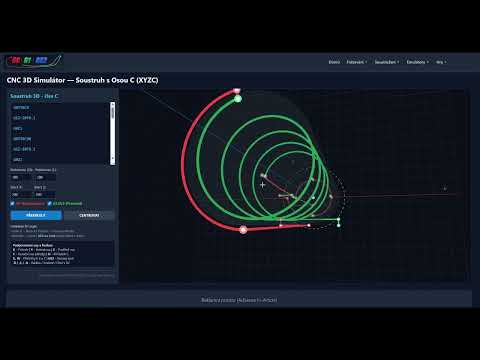
Click the preview to watch an overview of the online CNC milling and turning simulators, converters and educational games.
About g-code.xyz – Online CNC Simulators and Learning Tools
g-code.xyz is a free online platform for machinists, setters, students and technical educators. It provides lightweight tools for working with G-code and checking toolpaths directly in a web browser, without specialist software or complex setup.
What you will find on this portal:
- Turning simulators (2D and 3D): Visualize tool movement, toolpaths and material removal. Advanced versions also support C-axis positioning and the Y axis for milling with driven tools.
- Milling simulators: Verify milling toolpaths in 2D and 3D, including linear and circular interpolation.
- Integrated 2D CAD and G-code generators: Quickly sketch a 2D contour and export it as machine NC code.
- Text and image converters: Automatically convert lettering and images into G-code engraving paths.
- Interactive CNC learning games: Practice spatial thinking, coordinates and MDI input with training arenas and games.
- Video tutorials and guides: Practical setup demonstrations, explanations and tips from the workshop and classroom.
Workshop safety recommendation
The simulators are intended for education, preliminary program-logic checks and approximate toolpath geometry verification. Always carefully verify NC code in your machine control graphics before running it on a real machine. For the first part, use reduced rapid-traverse speeds and check collision zones.